Please don't fall for any job/grants/SaaS/Software related scams. For any query or concerns please reach to us directly at +65 6834 3026 or WhatsApp at +65-8910 8216
Please don't fall for any job/grants/SaaS/Software related scams. For any query or concerns please reach to us directly at +65 6834 3026 or WhatsApp at +65-8910 8216
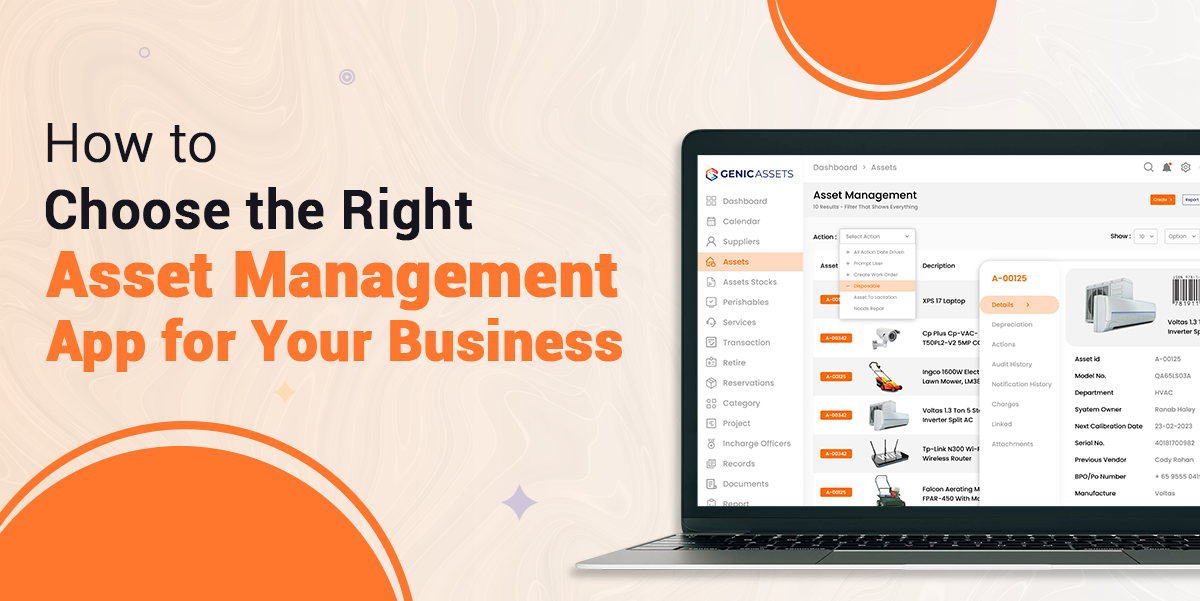
Selecting the best asset management app for business begins with understanding what an asset management app actually does and why it matters for modern organisations. An asset management app is a dedicated software system that helps businesses track, monitor, maintain, and optimise their valuable assets throughout their entire lifecycle.
Its purpose is to centralise asset information, streamline daily operations, and support teams in managing equipment more efficiently while reducing unnecessary costs.
By adopting such a tool, organisations can improve visibility, enhance control, and make smarter asset-related decisions. In this guide, we will explore its key benefits, identify which industries gain the most value, and outline how to choose an asset tracking app that aligns with your organisation’s goals, budget, and operational needs.
Table of Contents |
An asset management app is a specialised software tool designed to help businesses systematically track, monitor, maintain, and optimise their valuable assets throughout their entire lifecycle.
By automating these processes and centralising the information, businesses can maximise efficiency while reducing costs and enhancing productivity.
Discover the core benefits of Asset Management App solutions and how they transform organisational efficiency as defined below:
Asset management apps help organisations to save money by optimising asset utilisation to avoid unnecessary equipment, enabling proactive maintenance to avoid costly breakdowns, reducing losses and improving accountability and lowering administrative work by automating manual tasks such as data entry.
The Asset Management App can be used in various ways to store, access, and analyse historical information on your important assets. It allows organisations to utilise advanced analytics, machine learning to identify trends, long-term performance, and review repair histories, as these insights help to determine when maintenance is due or when replacement is a better option.
Asset management apps help to reduce theft by keeping the records of who is using each asset and tracking the real-time location of equipment such as tools, computers, or portable devices. This makes it easier to find shared items, identify responsibility for loss or damage, and support insurance claims with clear documentation.
Asset tracking system improves lifecycle process by keeping critical information from purchase to disposal in one central system by removing the need od depending on the individual staff knowledge. It helps to plan asset purchases, track maintenance schedules, and automate reminders for renewals or inspections. This helps cut downtime, enhance asset life through timely repairs, and leads to significant cost savings.
The system helps to ensure accurate reporting for regulatory compliance by generating up-to-date and reliable reports that meet industry standards. This saves staff time, improves data accuracy, and helps organizations to stay compliant, which leads to a risk of penalties and supports a strong, trustworthy public reputation.
If you are looking for an effective asset management solution for better management, try Genic Assets Management Software Solutions!
Many businesses can benefit from an asset tracking system, especially those that are heavily dependent on physical machines, valuable inventory, or digital media. Let’s explore how the system helps industries with its features and why the best asset management app for mid-sized businesses becomes essential across these sectors.
Manufacturing companies depend on machinery and equipment to keep production running. An asset app supports them with:
Construction companies operate across fast-moving sites with important equipment constantly in use. Busy construction sites with costly gear like cranes, trucks, and tools benefit from:
The healthcare environment depends on quick access to critical medical devices by:
IT teams handle constantly changing hardware, licenses, and digital assets that require tracking and security. So asset app helps by providing:
Choosing the best asset management app for business means you match the software’s power with your organisation’s needs, budgets, and goals. Let’s see the factors you must consider when you want to understand how to choose an asset tracking app:
Before you explore options, first clearly understand what problems you want to solve.
Focus on features that match your needs.
Even the strongest system won’t help if your teams struggle to use it.
Before buying a solution, ask for trials and a demo. Demos or free trials help you see how the system works with real-time data. Let end-users test it to check whether the app fits your organisation’s daily operations and workflows.
An asset management app helps organisations track, monitor, and organise their valuable assets as they move through their lifecycle. It gathers all information in one place, enhances visibility, reduces manual work, and helps to make smarter decisions about asset use, repairs.
These apps help teams use assets wisely, avoid buying unnecessary tools, prevent downtime by planning maintenance early, stop theft, and reduce manual tasks. Because of this, organisations save money on repairs, replacements, and admin work.
Look for real-time tracking, a strong mobile app, clear maintenance tools, strong security, smooth integrations, and simple custom reports. These features help the system support your daily work with more control and clarity.
Yes, Asset management apps track equipment in real time, log who uses each item, and send location alerts. This helps teams spot unusual movement, stop losses quickly, and keep everyone responsible for the assets they use.
Most systems give you a mobile app that lets staff scan items, update info, see alerts, and check assets from anywhere. This helps field teams and workers who are not at a desk.
Yes, Small businesses gain better organisation, fewer lost items, and smoother maintenance. Many apps grow with the business, so teams start small and add more features when they need them.
Articles you might like

Genic Assets provide complete visibility, traceability, and accountability of your assets!
Get StartedAre you ready to switch from Excel and Spreadsheets to Cloud-based Asset Management Software? Get started with Genic Assets Management System!