Please don't fall for any job/grants/SaaS/Software related scams. For any query or concerns please reach to us directly at +65 6834 3026 or WhatsApp at +65-8910 8216
Please don't fall for any job/grants/SaaS/Software related scams. For any query or concerns please reach to us directly at +65 6834 3026 or WhatsApp at +65-8910 8216
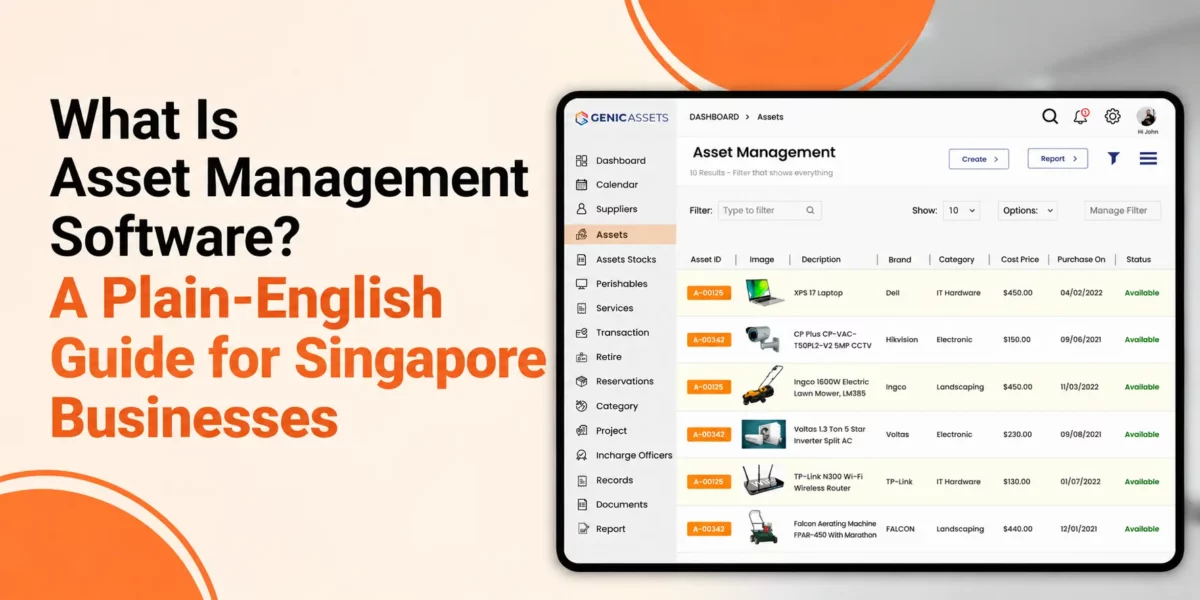
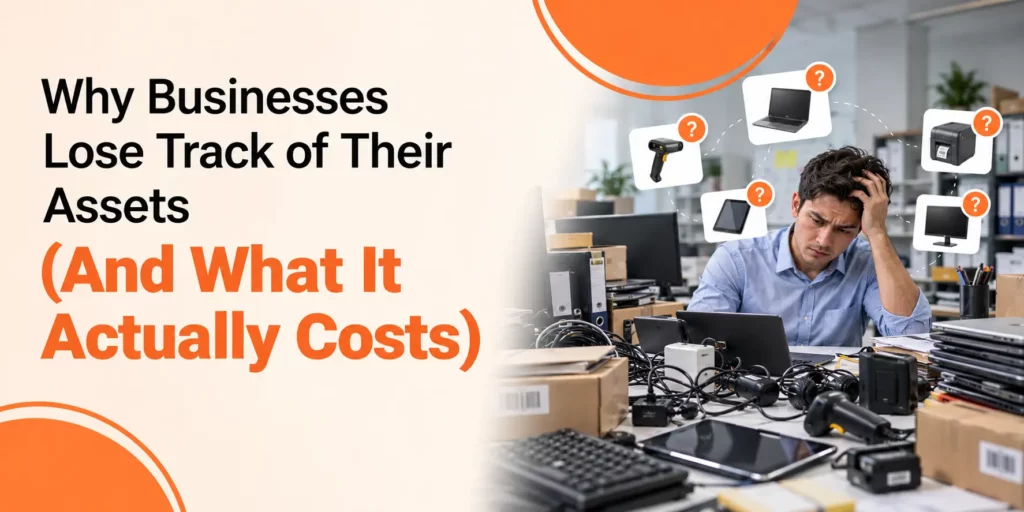
Every business owns things that keep daily work moving. These may include laptops, phones, office furniture, tools, machines, vehicles, and other equipment. When a company has only a few assets, keeping track of them feels simple. A spreadsheet or basic list may do the job. But as the business grows, the number of assets grows with it. Devices move between employees, tools shift between sites, machines need service, and old equipment needs replacement. Soon, a simple list can become hard to manage.
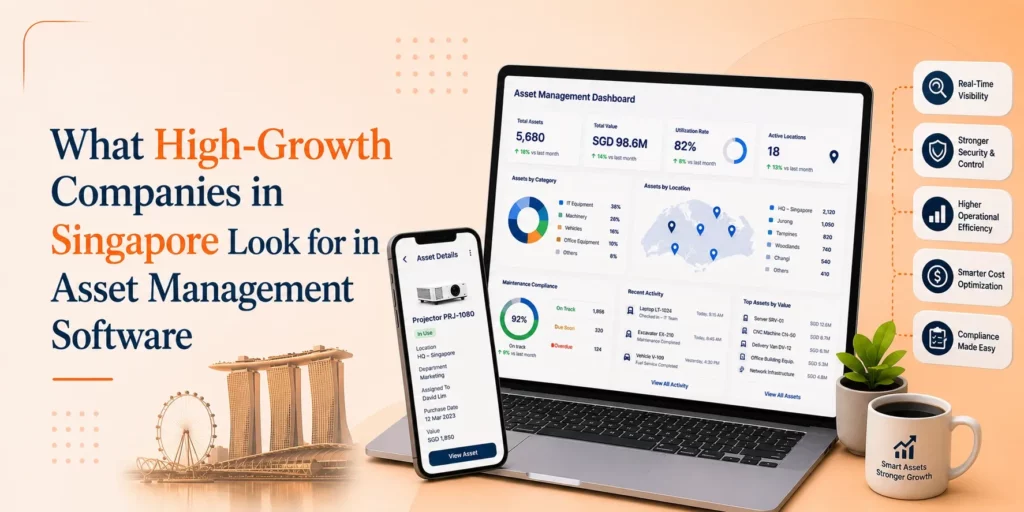
This is where asset management software can help. It gives your business one place to record what it owns, where each item is, who uses it, and what condition it is in. For founders and operations teams in Singapore, this creates a clear view of company assets and cuts the time spent searching for missing information.
See how Genic Assets locates equipment in seconds and keeps maintenance on schedule — book a free demo.
Asset management software is a digital tool that helps a business record, track, and manage its assets from purchase to retirement. It creates one central record for the items a company owns and uses.
Think about a laptop as an example. Your business buys the laptop and gives it to an employee. A year later, that employee moves to another team. The laptop may move with them or go to someone else. It may need a repair, receive an upgrade, or reach the end of its useful life.
Without a clear system, information about that laptop can sit in emails, spreadsheets, invoices, or staff notes. This makes simple questions hard to answer.
A good system helps your team answer questions such as:
Instead of searching through different records, your team can check one place and find the details they need.
To understand the software, it helps to answer another basic question: what is asset management?
Asset management is the process of looking after the things a business owns and uses. It starts when the company buys an asset and continues until the company sells, replaces, or disposes of it.
For example, imagine that your company buys ten laptops for new employees. Asset management means recording those laptops, giving each one to the right employee, checking their condition, recording repairs and collecting them when employees leave.
The same process works for tools, machines, vehicles, phones, furniture, and other business equipment.
An asset management system puts these tasks into a clear process. Instead of depending on memory, emails, or separate files, your team can follow the same steps for each item. This creates cleaner records and gives managers a better view of company property.
Here is asset management software explained simply: it works like a digital register for your business assets, but it can do much more than a basic list.
Each asset gets its own record. That record may contain the item name, serial number, purchase date, employee name, location, condition, warranty details, and service history.
When something changes, your team updates the record.
Suppose an employee returns a laptop. The operations team can mark it as returned. After checking its condition, the team can give it to another employee and update the record again. The system now shows the current user and keeps a history of what happened before.
This gives your business a clear trail for each important asset.
If you are asking what an asset management system is and how it works, the process can be understood through four main stages: record, assign, track, and maintain.
The first step is creating a record for each asset. Your team can add the information it needs to identify and manage the item.
This may include:
Once these records sit in one place, staff no longer need to search through different files for basic information.
Most assets do not stay in one place forever. A laptop may move between employees. A tool may move between job sites. A shared device may move from one department to another.
An asset management system records these changes, so your team can see who holds an item and where it belongs.
This can help during employee onboarding and offboarding. When someone joins the company, the operations team can record the equipment given to them. When that person leaves, the team can check which items need to come back.
Tracking becomes more important as a business grows. If you manage hundreds of items, checking them by name can take too much time.
Some businesses use an asset tracking system with barcodes or QR codes. A label goes on each item, and staff scan it when they need to identify or update the asset.
This helps connect the physical item with its digital record and makes routine checks easier.
Every asset has a useful life. A laptop may become too slow. A machine may need regular servicing. A vehicle may need repairs. At some point, keeping an old item may cost more than replacing it.
The software gives your team a place to record these events. You can see repair history, maintenance dates, condition, and other useful information before making a decision.
Growing businesses in Singapore often need to control costs while keeping operations smooth. When teams grow, more equipment enters the business. More people use company property, and assets may move between offices, employees, or sites.
Poor records can turn this into a costly problem.
Imagine that your team needs five laptops for new staff. Your records show no spare devices, so you order five more. A few weeks later, someone finds three unused laptops stored in a cupboard. The business has spent money it may not have needed to spend.
Other problems can appear too. A warranty may expire before anyone notices. An employee may leave while still holding company equipment. A machine may miss a service date. Finance records may show assets that the company no longer uses.
Clear asset records help teams spot these gaps and act before they grow.
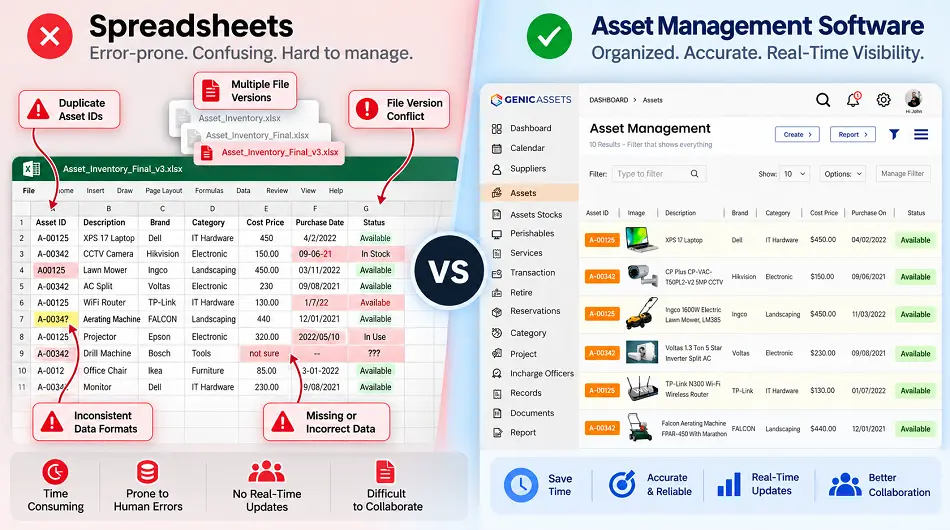
The choice between software and spreadsheets often comes down to how much your business has grown.
Spreadsheets can work for a small company with a short asset list. They are familiar, simple to start, and useful for basic records. Problems begin when more assets and more people enter the process.
One employee may forget to update a row. Another may create a second copy of the file. Someone may remove important information by mistake. After several months, nobody knows which version contains the right data.
Dedicated software gives the process more structure. It can keep asset records together, show who uses each item, record changes, store maintenance details, and support check-in and check-out tasks.
A spreadsheet stores information. A dedicated system helps your team manage the actions connected to that information.
Many businesses start looking for a better system after small asset problems begin to pile up. Staff waste time searching for equipment. Teams buy items the company already owns. Nobody knows who has a certain device. Repair records sit in different inboxes.
A central system can help your business:
The result is not just a cleaner asset list. Your operations team spends less time chasing information and more time handling work that helps the business move forward.
There is no single company size that tells you when to make the move. Instead, look at how much effort your current process takes.
If your team keeps fixing spreadsheet errors, searching for equipment, checking old emails, or asking staff who has a device, your process may have reached its limit.
Growth makes this problem larger. More employees mean more laptops, phones, tools, access cards, and other items. More locations create more movement, and more movement creates more records to update.
At this stage, asset management software can give your business a clearer structure without adding more manual work.
Do not start with a huge feature list. Start with the problems your team needs to solve. Ask simple questions. Do you struggle to find assets? Do you know who has each device? Are service dates easy to miss? Does employee offboarding create confusion? Are your spreadsheet records out of date?
Once you know the main problem, look for a system that handles it well. Useful features may include clear asset records, search tools, employee assignments, location records, maintenance history, check-in and check-out options, user access controls, and barcode or QR code support.
The system should also feel easy to use. If updating a record takes too much effort, staff may stop doing it. Simple processes help keep asset information accurate.
You do not need to change your whole process at once. Start with the assets that matter most to your business. Create a clean list of those items. Give each asset a unique ID. Record where it is, who uses it, and what condition it is in. Add purchase, warranty, and maintenance details where they matter.
Next, create a clear process for new purchases, employee handovers, repairs, returns, and retired equipment. As the process settles, you can bring more asset types into the system.
If you are looking for an effective asset management solution for better management, try Genic Assets Management Software Solutions!
Business assets cost money and support daily work, so losing control of them can hurt both operations and budgets. What starts as one missing laptop or one outdated spreadsheet can grow into a larger problem as your company expands.
Asset management software gives founders and operations teams a clearer way to manage this growth. It creates one place to see what the business owns, where each item is, who uses it and what needs attention.
For a small team, a spreadsheet may still work. As the number of people, assets, and locations grows, a dedicated system can make asset control much easier.
Good asset management does not need to feel complex. Start with clear records, build a simple process, and keep each asset visible from the day you buy it to the day you retire it. With the right software, your business can spend less time chasing equipment and more time keeping work on track.
Articles you might like
Genic Assets provide complete visibility, traceability, and accountability of your assets!
Get StartedAre you ready to switch from Excel and Spreadsheets to Cloud-based Asset Management Software? Get started with Genic Assets Management System!